
CBP Home
U.S. Customs and Border ProtectionBusiness
3.794.00 Reviews
- Version
- 1.25.0
- Installs
- 100.00K
- Age Rating
- Everyone
Screenshots
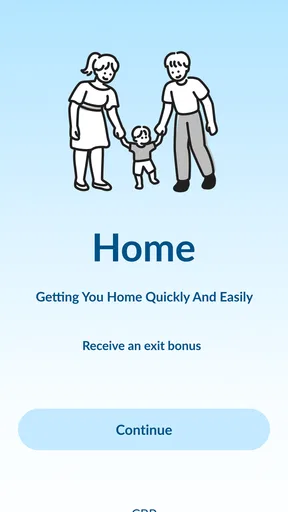
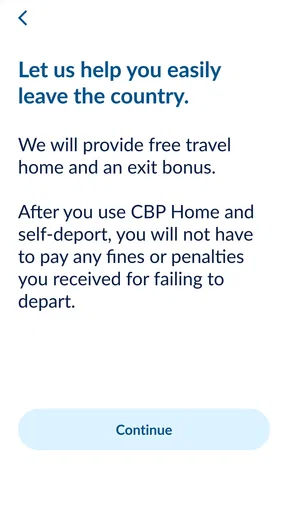
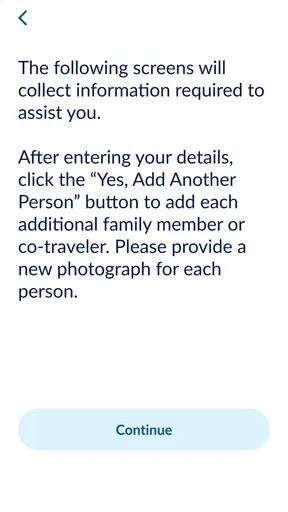
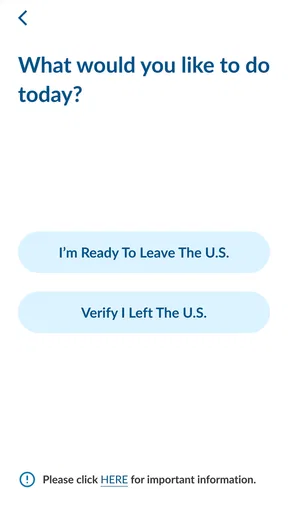
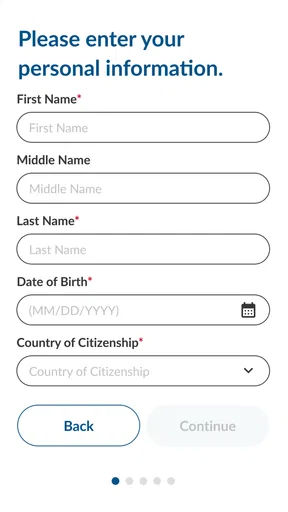
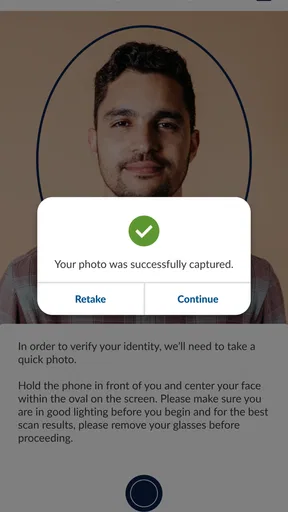
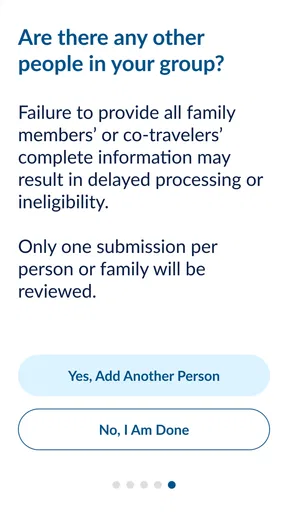
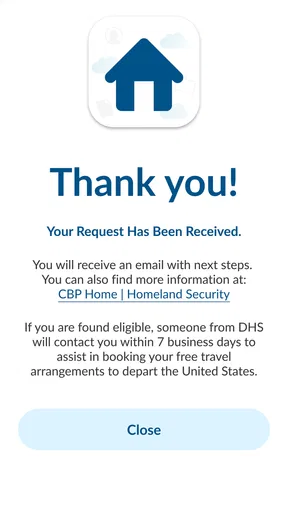
Our Review of CBP Home
 Analysis by Appyee
I approached CBP Home as a practical tool rather than a general travel companion. It is a business app from U.S. Customs and Border Protection, built around submitting an intent to leave the United States. That narrow purpose matters: it is not trying to replace a full itinerary planner, a messaging app, or a broad immigration information service. Its value comes from handling one official task in a more direct mobile setting.
That focus makes the app relevant to people who need to communicate an intended departure through an official U.S. government channel. It also creates a different kind of review experience from the usual productivity app. I am not judging it by how entertaining or feature-packed it feels, but by whether its purpose is clear, whether the workflow is understandable, and whether it fits sensibly into a real household’s travel planning.
The app is free and rated for Everyone, which makes it easy to consider for a shared phone or tablet. It was released on May 21, 2025, and the current version is 1.25.0, with support beginning at Android 8.0. Its listing shows over 100 thousand installs, a 3.7 average from around 280 ratings, and 94 written reviews. Those figures suggest a useful but still developing service: enough people have tried it to reveal practical friction, while the rating also signals that this is not a universally effortless experience.
How CBP Home fits into a shared travel situation
I would treat a shared trip as a coordination problem first and an app task second. Before anyone opens CBP Home, I’d agree on which traveler the official step concerns and who is responsible for handling it; that avoids duplicate attempts and last-minute uncertainty. With that role settled, it becomes easier to decide what information should be kept private and what the rest of the household needs to know.
A useful role when one person handles the official step
In a household, one traveler often becomes the person who keeps documents, checks schedules, and completes official forms. CBP Home fits that role better than it fits casual shared browsing. I can imagine a parent or household organizer using a personal phone to submit the relevant intent, then separately telling the other travelers what was done and what they still need to prepare.
The important distinction is that the app is not a family dashboard. I would not treat it as a central place where every traveler can automatically see a group’s plans. Instead, I would use it for the official submission itself and keep the broader coordination in the household’s normal conversation, calendar, or travel notes. That separation prevents a common mistake: assuming that completing a government-facing step also keeps everyone informed.
A realistic example would be a household preparing to leave the country on the same trip. One adult opens the app, reviews the relevant prompts carefully, and submits the intent for the person or situation covered by the workflow. Afterward, that adult tells the other travelers exactly what was submitted and reminds them to keep their own identification and travel details organized. The app handles the formal action; the family handles the human coordination.
Why a shared device can be convenient but awkward
Using a shared device may be convenient when only one trusted person normally manages travel administration. It avoids passing a phone around at a busy moment and can keep the process in one place. However, convenience should not be confused with shared access. A device being available to several people does not mean every person should use the same session or make changes without agreement.
My practical advice is to decide in advance who is responsible for opening the app and who is responsible for checking the submitted details. That small conversation is more valuable than treating the phone as a communal notice board. If several adults are traveling, I would also make sure everyone understands whether the action being taken concerns them personally or is being completed on behalf of someone else.
This is one of the app’s less obvious trade-offs. A narrow official workflow can reduce distractions, but it also leaves more responsibility outside the app. A travel planner may show the whole household’s schedule, while CBP Home is better understood as a focused administrative instrument. I prefer that clarity, but only when users accept that they still need another method for group communication.
What I would prepare before opening it
I would not begin the process while rushing through an airport, standing in a crowded line, or relying on someone else’s memory. Before opening the app, I would gather the information and documents relevant to the person involved, confirm the intended travel plan, and choose a quiet moment to read each screen. The app’s purpose is specific enough that preparation can make the experience feel much more controlled.
I would also avoid handing the phone to a child simply because the app carries an Everyone age rating. That rating describes suitability for a broad audience; it does not turn an official departure-intent workflow into a child-led activity. An adult should remain responsible for understanding the questions, checking entries, and deciding when a submission is appropriate.
The boundary between the app and other travel tools
People often compare every travel-related app with a browser search, a government website, a carrier app, or a family calendar. In my view, each serves a different purpose. A browser is useful for researching changing requirements and looking up background information. An airline or carrier app is better for reservations and boarding details. A calendar is better for reminding several people about departure times. CBP Home has a narrower job: submitting the stated intent through the CBP Home service.
That means I would not replace those other tools with it. I would use the official app for its designated step, then verify the rest of the journey through the appropriate sources. This is a meaningful advantage over unofficial forms or random third-party travel utilities, because the developer is U.S. Customs and Border Protection. At the same time, the official name should not encourage anyone to assume that every travel question belongs inside this one app.
Setup, account boundaries, and responsible coordination
I’d keep setup deliberate and separate device access from permission to act: being able to unlock a shared phone does not mean someone should complete an official submission. A trusted adult can review the relevant details, while the other travelers receive only the practical update they need afterward. That boundary is especially useful when several people share travel duties, and it leads naturally to the question of how to prepare the device and coordinate responsibly.
Keep the person using the app distinct from the person being discussed
The most important setup boundary is conceptual: the person holding the device may not be the person whose departure intent is being submitted. In a household, that distinction can disappear quickly when one adult manages everything for a partner, dependent, or relative. I would slow down at every point where the workflow identifies the traveler, and I would not guess when a detail is unclear.
This is also why I would avoid treating a shared login or shared phone as proof that everyone has equal authority. The app’s official purpose deserves a careful, individual approach. If two adults are involved, they should agree on who is completing the process and who is reviewing it. If a minor is part of the trip, an adult should take responsibility for the official interaction rather than assuming the child can interpret it correctly.
A useful household rule is simple: one person operates, one person verifies, and everyone affected is informed. That does not require inventing a family account structure or expecting the app to provide one. It is just a safer way to handle a focused government workflow on a device that several people can access.
Do not confuse installation with readiness
Because the app is free, installing it is an easy first step, but installation alone does not mean a traveler is ready to leave. I would open it before the day of travel, become familiar with the wording, and make sure the intended user and the responsible adult agree about the information being entered. If the phone is old, I would also check that it runs Android 8.0 or later before relying on it.
The version number, 1.25.0, is useful when discussing troubleshooting with another household member because it gives everyone a common reference point. I would avoid assuming that another person’s screen will look identical if their app is not updated. Keeping the app current is sensible for any official service, but I would still read the actual prompts rather than relying on memory from an earlier visit.
One practical insight is to separate “testing the workflow” from “submitting the intent.” A household can decide who will manage the app and review the general process ahead of time, but the final action should happen only when the traveler’s information and plans are settled. That distinction reduces accidental submissions caused by tapping through screens merely to see what comes next.
Coordination after submission
Once the official step is complete, I would record the relevant confirmation or reference information in the household’s normal travel notes if the app presents something that needs to be retained. I would not depend on a single person’s memory, especially when several people are coordinating transport, luggage, and departure timing. The app may perform its focused task well, but a family still needs a separate communication habit.
For a shared household, a short message can be enough: who completed the process, for whom, and what the next practical step is. That message should not expose sensitive information unnecessarily. It should simply prevent another adult from repeating the action because they assumed nobody had handled it.
This is where CBP Home differs from a collaborative productivity app. Collaboration tools are designed around shared visibility, comments, assignments, and reminders. I would not expect this service to replace those functions. Its strength is the official, focused destination; its weakness is that the surrounding coordination remains the user’s responsibility.
Age, trust, and device privacy
The Everyone rating makes the app broadly accessible from an age-classification perspective, but trust still matters more than the label in a real household. I would let a child know what the app is for, but I would keep control of the submission with an adult who understands the travel situation. The same applies to guests, relatives, or a friend borrowing a phone: access to the device should not automatically grant permission to complete an official action.
On a shared device, I would use the phone’s own privacy habits rather than assuming the app creates a household boundary. Lock the device when it is not in use, avoid leaving official screens open in a public place, and do not pass the phone around while the workflow is mid-process. These are ordinary precautions, but they are particularly important when an app is used for an official government-related task.
Another non-obvious consideration is emotional pressure. Travel days encourage people to hurry, and a teenager or inexperienced traveler may tap quickly because adults are waiting. I would assign the task to the calmest responsible person, not necessarily the person who owns the newest phone. A slower, deliberate review is more valuable here than speed.
Where the app may not be the right choice
I would skip relying on CBP Home as the only travel resource if what I really need is a complete departure checklist, reservation management, live transport updates, or a shared family itinerary. Those needs belong to other tools. I would also avoid making assumptions about an individual case based solely on the app’s title or summary; when a situation is unusual or legally sensitive, I would seek appropriate official guidance rather than treating a simple mobile workflow as a substitute for personal advice.
Likewise, a person who dislikes handling official tasks on a phone may prefer another available official channel when appropriate. The app’s mobile convenience is a benefit only if the user can confidently identify the traveler, read the prompts, and complete the process without confusion. For someone who needs extensive explanation at every stage, a more direct assistance route may be a better fit.
My household verdict
After looking at it as a household tool, I see CBP Home as a focused app with a clear place in a larger travel routine. I would recommend it to an adult who needs to submit an intent to leave the United States through the CBP Home service and wants a dedicated mobile route rather than an improvised third-party solution. The fact that it is free and comes from U.S. Customs and Border Protection makes it an easy app to consider for that specific purpose.
I would not recommend treating it as a shared family organizer, a child-facing travel app, or a replacement for every other source of travel information. Its 3.7 average indicates a mixed experience, and I can understand why: official workflows demand careful reading, while shared-device situations create boundaries the app cannot solve for you. The narrow design is both its strongest quality and its main limitation.
My best-use formula is straightforward. Choose one trusted adult to operate the app, prepare the relevant details before travel day, distinguish the device user from the traveler, and tell the household what was completed afterward. Keep reservations, schedules, reminders, and broader travel research elsewhere. Used that way, CBP Home is most valuable as a precise administrative step, not as the command center for an entire trip.
For people who fit that use case, I would recommend giving it a careful try. For everyone else, especially households looking for shared planning or a complete travel companion, I would choose a different tool for those needs and use this app only when its official purpose genuinely applies.
Verdict
Strengths of CBP Home
- Provides official CBP guidance for eligible travelers and migrants.
- Offers clear instructions for submitting required information.
- Can help users avoid unnecessary visits to CBP facilities.
- Available on mobile devices for convenient access while traveling.
- Useful for checking current procedures from an official source.
Limitations of CBP Home
- Eligibility and available features may vary by immigration status.
- Requires accurate personal information and careful form completion.
- Some functions may depend on location, connectivity, or device settings.
- Official guidance can change, requiring users to check for updates.
- The app is not a substitute for personalized legal immigration advice.
Other Releases by U.S. Customs and Border Protection
View All
Mobile Passport Control
Travel & Local4.9

Global Entry
Travel & Local4.9

Trusted Traveler Programs
Travel & Local4.6
Similar Picks in This Category
View All
LinkedIn: Community & Network
LinkedIn3.8

Zoom Workplace
zoom.com4.1

Microsoft Teams
Microsoft Corporation4.6

Meta Business Suite
Meta Platforms, Inc.4.6

Webex Meetings
Cisco Systems, Inc.4.5

TeamViewer Remote Control
TeamViewer4.4
Frequently Asked Questions
What is CBP Home, and what can I use it for?
CBP Home is an official U.S. Customs and Border Protection mobile application designed to provide selected immigration and travel-related services in one place. Depending on your eligibility and location, it may offer tools for submitting information, checking instructions, or accessing CBP resources. Available features can change, so users should read the current in-app descriptions and official guidance carefully before relying on the app.
Who can use the CBP Home app?
CBP Home is intended for people who need access to specific U.S. Customs and Border Protection services, but not every feature is available to every user. Eligibility may depend on your immigration situation, nationality, location, travel plans, or the particular program being used. Downloading the app does not guarantee approval or access; always review the official requirements and provide truthful, accurate information.
Is CBP Home an official and safe application?
CBP Home is associated with U.S. Customs and Border Protection, but users should still download it only from the official Google Play Store or Apple App Store and verify the developer name before installing. The app may request sensitive personal details, identity information, or device permissions. Review its privacy information, keep your phone updated, and avoid using unofficial copies or links shared through unknown sources.
What information or permissions does CBP Home require?
The information requested depends on the feature you use. CBP Home may require personal and biographical details, identity or travel information, photographs, location access, camera access, or other permissions needed to complete a submission. Before continuing, check why each permission is requested and make sure every entry matches your official documents. Incorrect, incomplete, or misleading information could delay processing or create serious complications.
Does using CBP Home replace legal immigration advice or guarantee an outcome?
No. CBP Home is a digital tool for accessing certain government services, not a substitute for an immigration attorney, accredited representative, or official legal guidance. Completing a form or submitting information through the app does not automatically grant admission, immigration status, protection, or approval. If your situation is complicated, urgent, or involves possible legal consequences, consult a qualified professional and verify instructions through official CBP or U.S. government channels.
